CONNECTOR QUICKSTART BLUEPRINT
Module 2:
Build Your Simple “Connector Website”
You’ll create a tiny two-page website using a free tool called Systeme.io.
No tech background needed — if you can check your email, you can do this.
Step 1: Open Your Free Account
1. Click Here.
2. Click “Get Started for Free.”
3. Enter your email.
4. Check your email and confirm your account (once confirmed, set your password and save your login credentials).
Step 2: Create Your Simple “Connector Website”
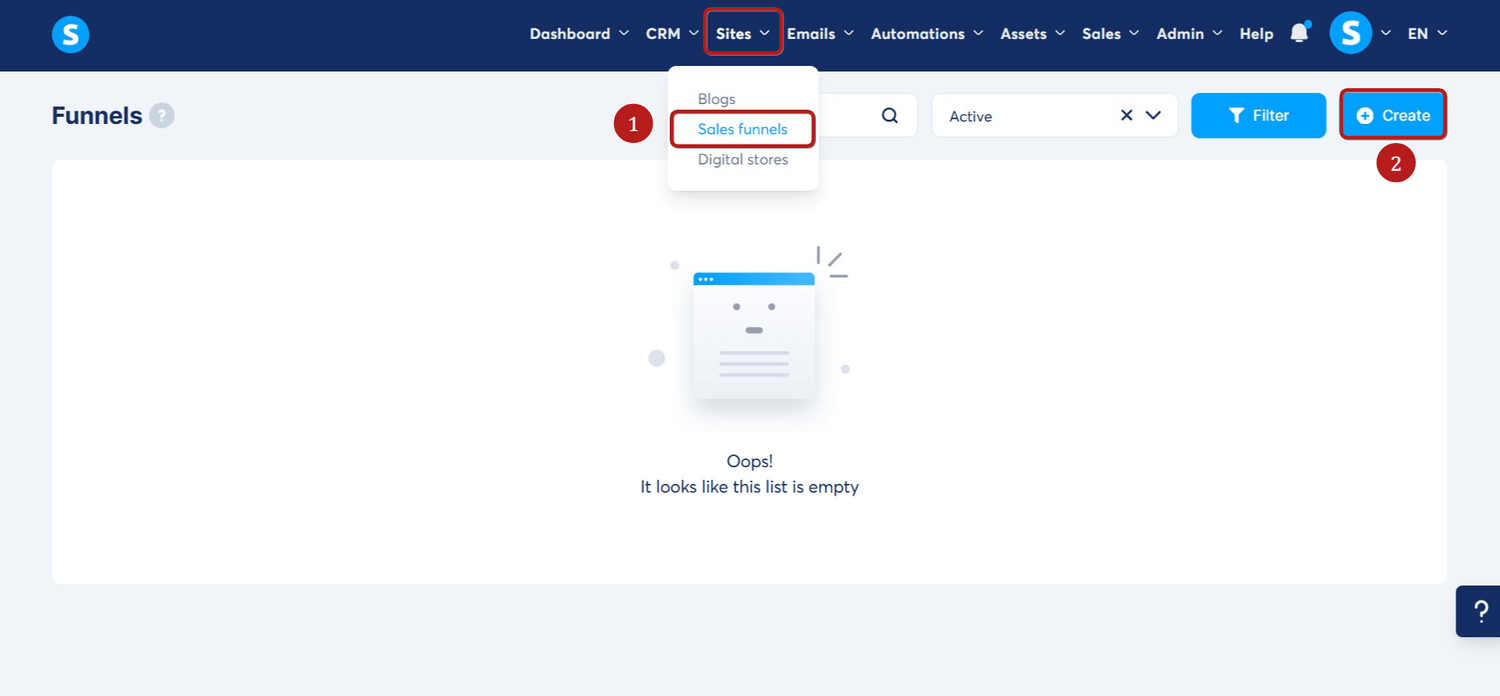
1. Go to the Sites tab on the Menu, click on Sales funnels.
2. Click on the create button.
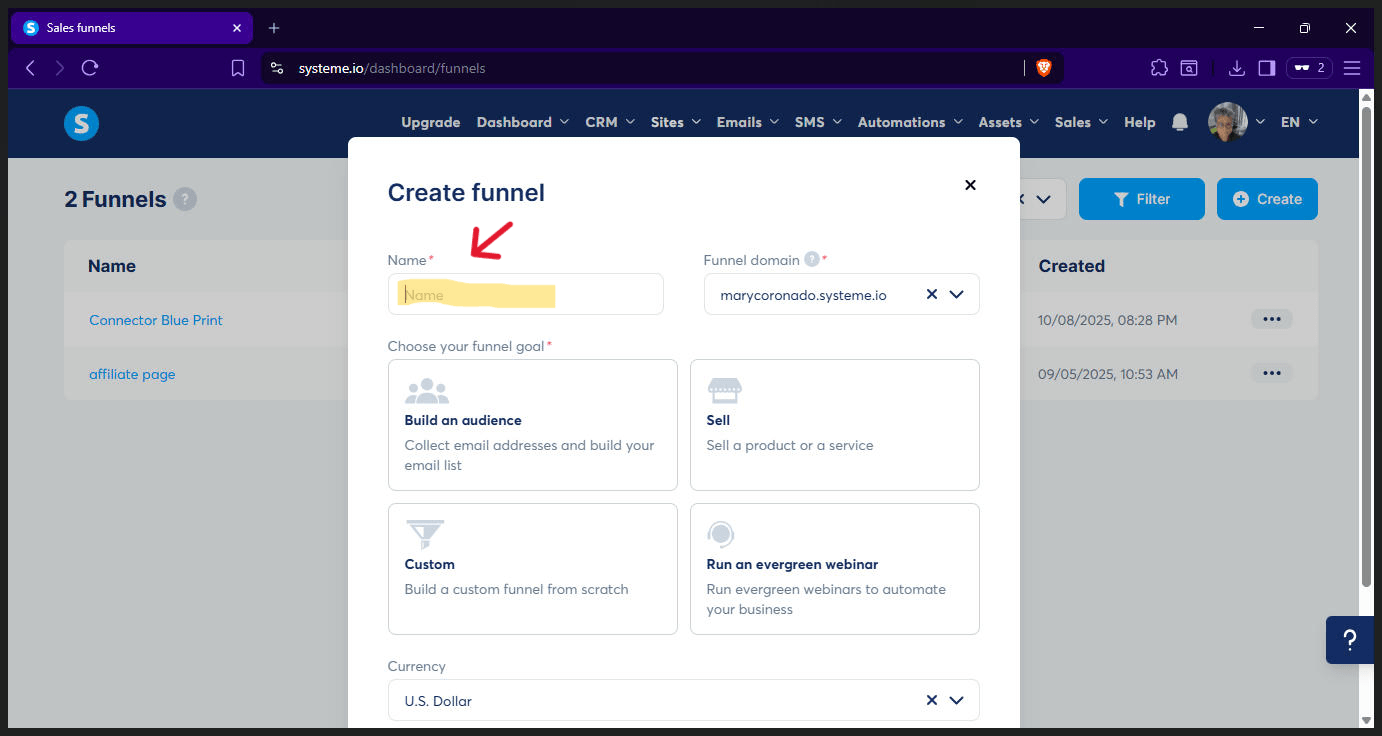
3. Name it “Connector Funnel.”
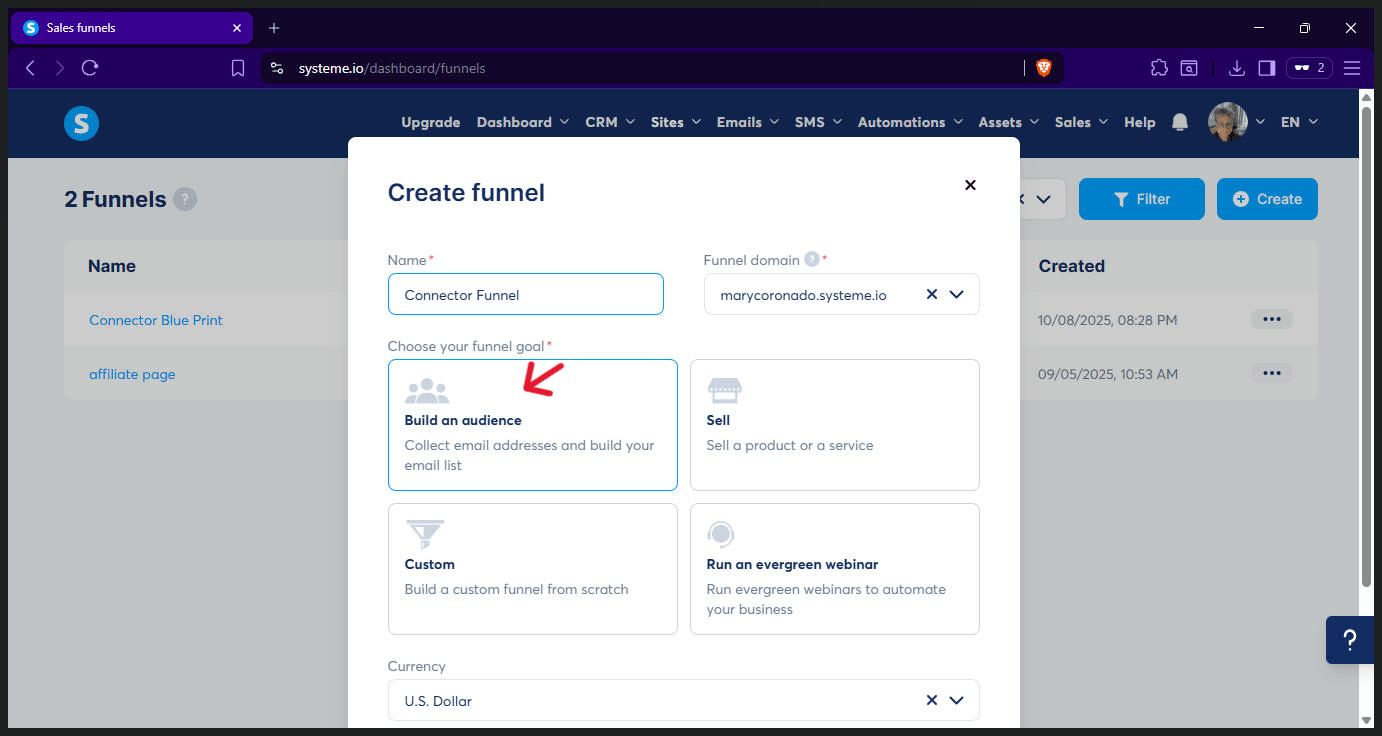
4. Choose the option that says “Build an Audience.” and the currency to use.
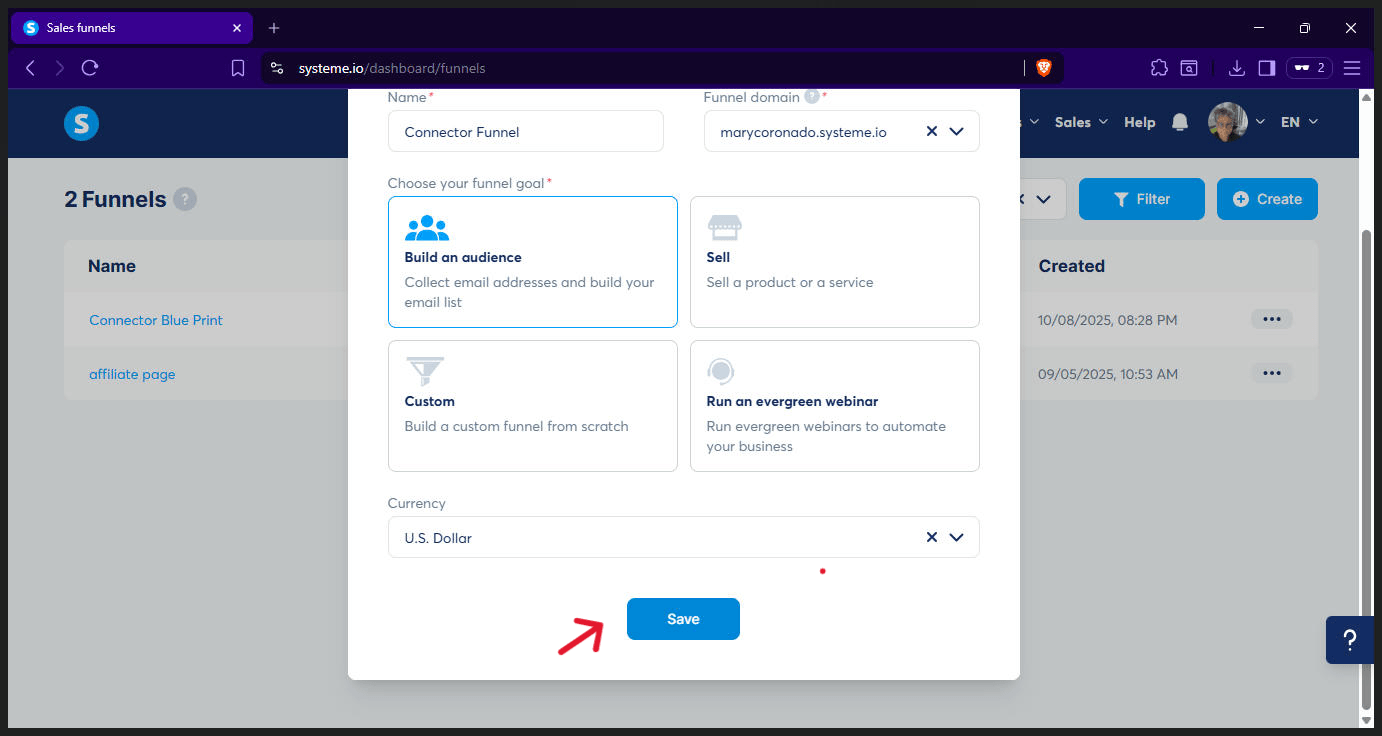
5. Click Save (Now you’ve got your space to work in).
Step 3: Build It
(This is where people will type in their info).
1.- Choose a template - click one you like.
2. Click on "Edit Page"
3. Replace the Headlines and Subtitle with this:
Headline Big Title: “Need Real-Estate Funding Fast?”
Subtitle: “Get matched with private lenders who can close quickly — no agent fees or long waits.”
4. Create your Submit Form
Form fields to use:
◦ Name
◦ Property Address
Button Text: “Get Matched Now”
5. Delete all the other sections and elements.
6. Save your work. That’s your “front door.
Watch the video below for a better understanding of this step. ⬇
Step 4: Create Your “Thank-You” Page
(This is what people see after they fill out your form).
1. Click on "Edit Page"
2. Write this message: “Thanks! You’re officially in my deal flow.
Expect an email within 24 hours with funding options.”
3. Under that, add a button that says: “Check Out My Top Funding Partner”
Later, you’ll link that button to your affiliate lender page.
4. Delete all the other sections and elements.
5. Save it.
Watch the video below to fully understanding. ⬇
Optional bonus: Record a 20-second video on your phone saying: “Hey! Thanks for signing up. I’ll review your info and connect you to our best funding partners.
If you want to speed things up, click the button below.”
Upload that video to YouTube (set to “Unlisted”) and add it to the page.
Step 4: Test It
Go to your “front door” page, fill out the form with a fake name, and make sure it takes you to the “thank-you” page.
Click the button to check that the link works.
If it does - congratulations!
You just built your first online connector system.
Want Your Own Done-For-You Connector Website?
Stop struggling with tech, and let me build your funnel for you.
Custom 2-page website (squeeze + thank-you).
Your colors, your logo, your lender links.
Launch-ready in 3 days.
You focus on connecting deals.
I’ll handle the tech that makes you look legit.
No spam, just great content.